 Nudes Remover
 en
en Русский
Media types
Which content types are checked, and how each one is analysed.
Under Media types to process you choose which kinds of content the bot checks. Each type is an independent switch — turn off what your group doesn't need watched.
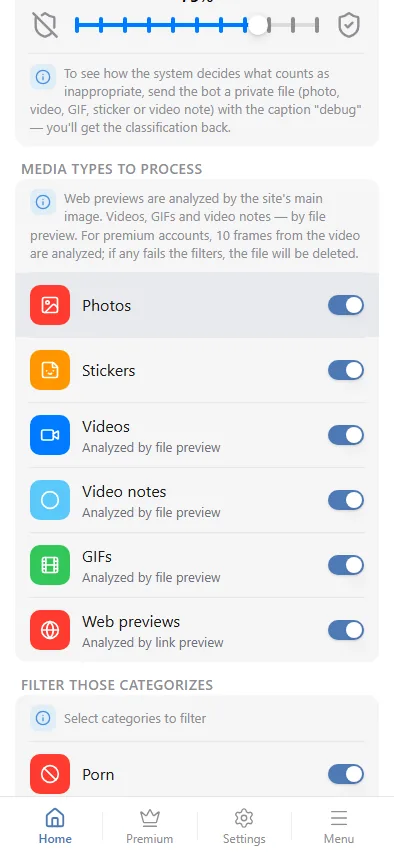
- Photos — checked directly.
- Stickers — checked directly, including animated and video stickers. See also Sticker blacklist for blocking specific packs outright.
- Videos — analysed by a preview frame extracted from the file. Premium groups analyse 10 frames spread across the video instead of one — see Detection & threshold.
- Video notes — the round video messages — analysed the same way as videos.
- GIFs — analysed by a preview frame.
- Web previews — when a member pastes a link and Telegram expands it into a preview card, the preview's main image is checked. Plain text links with no preview card aren't affected.
Turning a type off means the bot ignores it completely — it's not queued, downloaded or scored, so disabling a type you don't need also reduces load against your daily message limit on the Free plan.
Media-type settings apply per group. Two groups running the bot can check completely different content types.