 Nudes Remover
 en
en Русский
Getting started
Add the bot, promote it to admin, and turn moderation on.
1. Add the bot to your group
Open @NudesRemoverBot and press Start. The welcome message lists what the bot does; Add to group under it (it becomes Manage chats once the bot is in a group) opens the mini app, where Add chat picks the group from Telegram's own group picker.
2. Promote it to administrator
The bot needs admin rights to act on what it finds — see Permissions for the exact list. Adding it through the bot's own "Add to group" flow pre-selects the required rights for you; if you add it manually through Telegram's group settings instead, grant them yourself.
3. Turn it on
Open the mini app, select your group, and switch on Bot enabled under Bot settings.
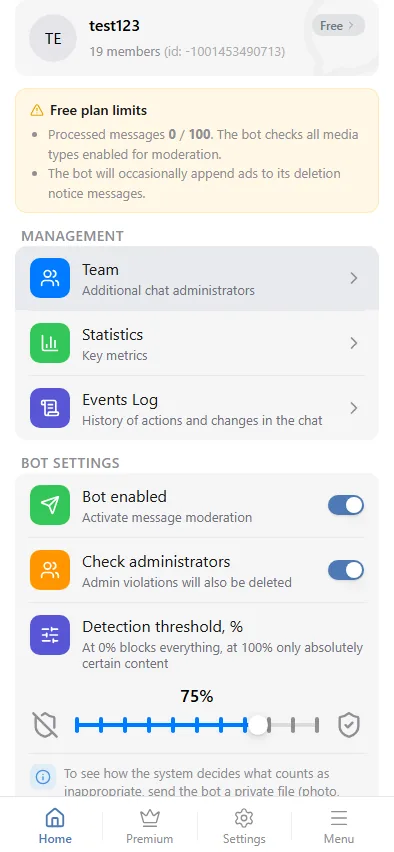
4. Set your threshold and media types
The defaults check every media type at a 75% confidence threshold. Adjust either from the same screen — see Detection & threshold and Media types.
That's it — the bot moderates new messages from then on. Nothing already posted before you turned it on is touched.